
Partner Portals & Project Tracking
In B2B services, the client relationship does not end with the contract signature. It truly begins when the project commences: and that is where friction emerges. Your project managers spend their days responding to the same questions: ’What is the status of my service?’, ’Who is working on my file?’, ’Did you receive the document I sent on Tuesday?’.
Clients, meanwhile, feel as though they are navigating blindly. They follow up by email, request additional progress meetings, and ultimately begin to doubt your ability to deliver. Internally, teams juggle between channels: a file transfer service for large files, emails for approvals, a spreadsheet for schedules, a poorly configured sharing space for everything else.
Confidential documents circulate without proper traceability. When a dispute arises over an approval or deliverable, no one can locate the correct version or the history of exchanges. Time spent reassuring the client becomes time stolen from production. And your best consultants eventually leave, exhausted from acting as switchboard operators.
This solution belongs to the Partner & Network Extranets family.

Challenges holding back your performance
Most firms muddle through with make-do solutions. A shared folder per client, copied emails to maintain an audit trail, a “project tracking” spreadsheet that several people update differently. Some invest in generic project management tools, but these platforms are not designed to provide a controlled client view.Result: either you grant excessive access and the client sees your internal notes, or you create a mirror project to maintain in duplicate. Traditional document management solutions secure documents but offer no business logic for service delivery tracking. As for the ’all-in-one’ portals sold by major vendors, they require lengthy integration and a dedicated team to maintain them.The make-do approach holds until the first demanding client: or until the first ISO audit.
Our Technical Approach
Our approach begins with a simple observation: your clients do not want another tool, they want effortless visibility.
We build portals that reflect exactly how you work: not the other way around. The architecture rests on three pillars.
Firstly, a streamlined presentation layer where each client sees only what concerns them: their projects, their contacts, their documents, their milestones to validate.
Secondly, a granular rights engine that manages access by project, by phase, by document type: because a Finance Director does not need to see the same deliverables as a project manager on the client side.
Finally, complete historisation of every action: who deposited what, who validated when, who read which document. This traceability becomes your safety net in case of disagreement. The portal feeds from your existing tools: CRM, staffing tool, document management system: without creating duplicate entry. Your teams continue to work as before, the client sees a unified interface.
Progress Dashboards
Clear visualisation of the percentage of completion, budget consumed and timescales.
Secure Data Room
Structured space for the deposit and download of large working documents.
Validation of Deliverables
Workflows enabling the client to approve or comment on a document officially.
Directory of Stakeholders
Enhancement of your experts assigned to the project, with their direct contact details.
Historisation of Exchanges
Consolidation of support or enhancement requests (Ticketing) in a single location.
Granular Rights Management
Capability for the client to invite their own colleagues with limited access.
Technical Architecture
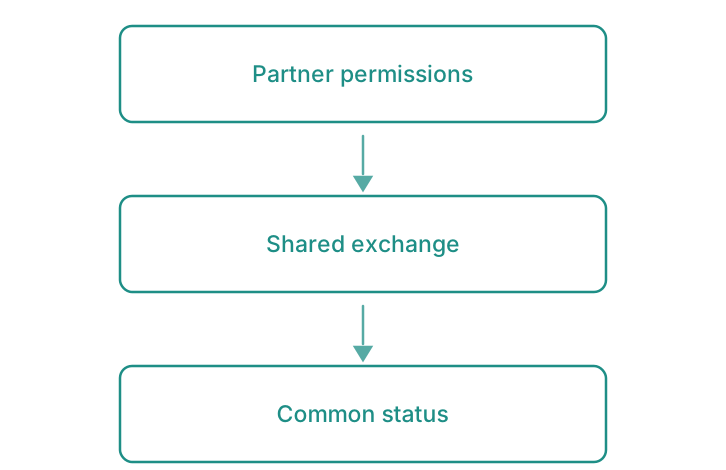
Grant each partner their permissions, exchange the flows, share one common status: that is what Dealer & Network Portal and Carrier Portals & Tracking do.
- Progress DashboardsClear visualisation of the percentage of completion, budget consumed and timescales.
- Secure Data RoomStructured space for the deposit and download of large working documents.
- Validation of DeliverablesWorkflows enabling the client to approve or comment on a document officially.
- Directory of StakeholdersEnhancement of your experts assigned to the project, with their direct contact details.
- Historisation of ExchangesConsolidation of support or enhancement requests (Ticketing) in a single location.
- Granular Rights ManagementCapability for the client to invite their own colleagues with limited access.
Smooth and frictionless integration
The portal integrates with your existing stack rather than replacing it. Your project data remains in your current management tool: we access it via API or standard connectors. Documents continue to be stored where they currently reside, with a controlled exposure layer. Authentication relies on your corporate directory or that of your clients (SSO, your cloud AD infrastructure).
No massive migration, no extensive training required for internal teams. Deployment can be carried out client by client if you prefer, starting with the most demanding accounts.
Partner Portals & Project Monitoring. Mapping of current workflows
Audit of communication channels with your clients, identification of friction points and confidentiality requirements by type of service provision.
Design of the rights model
Definition of client-side user profiles, access rules per project and per document, validation with your legal teams if necessary.
Construction and connection
Development of the portal, integration with your existing tools (CRM, DMS, scheduling), implementation of secure authentication.
Progressive deployment
Pilot with a few voluntary clients, adjustments based on field feedback, then extension to the remainder of the portfolio.
Measurable results for your organisation
- Fewer incoming follow-up emails from clients
- Status enquiries answered immediately, in self-service
- Zero disputes on validations thanks to systematic timestamping
- Time given back each week to every project manager on reporting tasks
- Client satisfaction measurable on post-project surveys
- Enhanced compliance for ISO 27001 audits and contractual traceability requirements
Clarifying your decision-making
Will our clients really use yet another portal?
A portal is adopted only if it delivers immediate value. The client finds their documents without trawling through email, validates in one click, and sees an up-to-date schedule. Adoption rests on two things: a simple interface and reliable information.
How to manage clients who have their own security requirements or their own portals?
Some major accounts will always impose their own tool. The Clarendis portal covers the clients who have none, or who prefer yours; for the others, automated exports feed their systems. The aim is not to impose a single channel, but to reduce the disorder for the majority.