
Computerised Maintenance Management (CMMS)
In industry, a machine shutdown is costly by the hour, and the amount varies from one production line to another. Your technicians know this. They rush between workshops, search for technical datasheets in filing cabinets or on a server inaccessible from the shop floor, ring the stores to check if the part is in stock, then write up their reports in the evening on a shared PC.
Meanwhile, production waits. The maintenance manager juggles between reactive emergencies and a theoretical preventive maintenance schedule that nobody truly adheres to. MTTR and MTBF indicators exist somewhere in a spreadsheet, but nobody trusts them. Critical spare parts are either out of stock or overstocked: sometimes both depending on the reference numbers.
And when an experienced technician retires, their knowledge of legacy machinery disappears with them. The problem is not a lack of skills. It is the absence of a system that connects the right information to the right people, at the right time, including in an area without network coverage at the back of a workshop.
This solution belongs to the Business Operations & ERP family.

Challenges holding back your performance
Spreadsheets and paper forms work on a small equipment base.Beyond that, it becomes unmanageable: incomplete histories, preventive schedules that slip and end up being ignored, no visibility on parts actually available. Market CMMS solutions, meanwhile, have been designed for IT departments, not for technicians wearing gloves and carrying a phone. Complex interfaces, unreliable synchronisation, configuration requiring a permanent consultant.Result: field teams bypass the tool, enter the bare minimum, and the system no longer reflects reality. ERP systems sometimes include a maintenance module, but it’s designed for management accounting, not for someone who needs to diagnose a breakdown at 6 o’clock in the morning. The tool exists, but it doesn’t serve those who need it.
Our Technical Approach
Our approach starts with the technician, not the reporting. The mobile application functions offline: because your workshops, basements and storage areas do not have reliable WiFi. The technician accesses the complete machine history, diagrams, procedures, and sees in real-time whether the necessary part is available in stores. He photographs, annotates, dictates his report on site.
Preventive scheduling relies on actual equipment usage data, not on a theoretical calendar. When a machine runs less, its maintenance is automatically postponed. Corrective requests arrive via a single channel: no more phone calls, post-it notes or lost emails. The spare parts store is connected: each intervention automatically consumes stock, triggers replenishment alerts, and feeds a history which finally enables proper sizing.
The intelligence is in the flow, not in dashboards that nobody consults.
Technician Offline Application
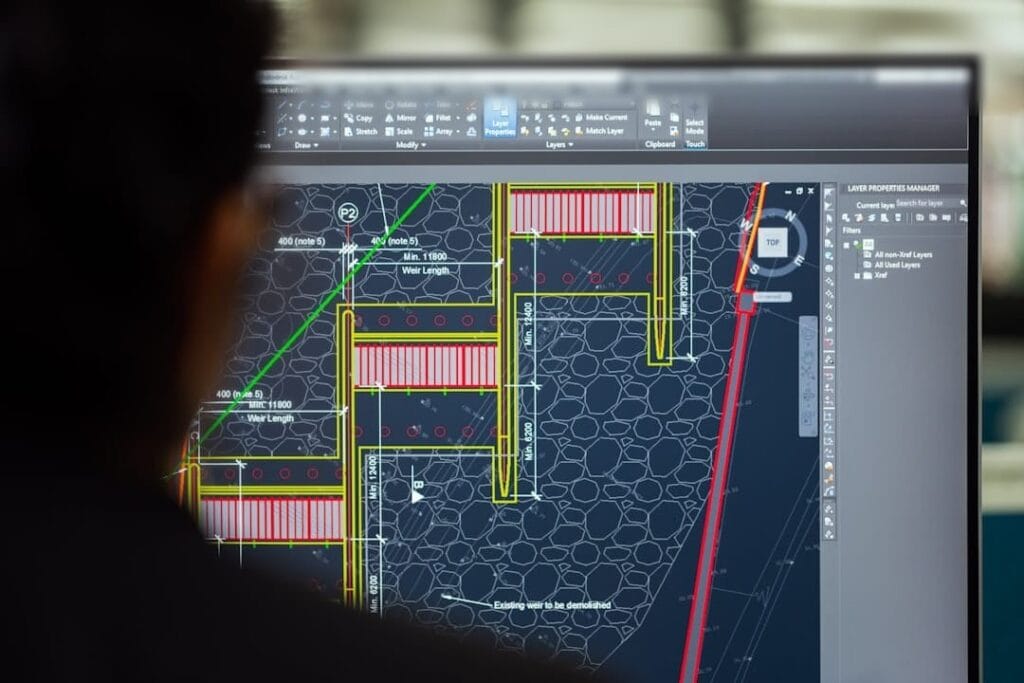
Access to electrical and electrical drawings without network coverage (cellars, silos).
Preventive Scheduling
Engine automatically generating work orders according to life cycles.
Parts Stores Management (PR)
Live stock decrementation upon use of a part for repair.
Comprehensive Intervention Reports
Guided entry, addition of before/after photographs and electronic signature.
Machine History
Quick scan access to the complete service history of the industrial equipment.
Express Corrective Requests
Ultra-simple portal for operators to report a leak or suspicious noise.
Technical Architecture
Enter once, let the rules schedule, read a single view: this foundation is shared across the family — you will find it in Order Management System (OMS) and in Workshop & After-Sales Management.
- Technician Offline ApplicationAccess to electrical and electrical drawings without network coverage (cellars, silos).
- Preventive SchedulingEngine automatically generating work orders according to life cycles.
- Parts Stores Management (PR)Live stock decrementation upon use of a part for repair.
- Comprehensive Intervention ReportsGuided entry, addition of before/after photographs and electronic signature.
- Machine HistoryQuick scan access to the complete service history of the industrial equipment.
- Express Corrective RequestsUltra-simple portal for operators to report a leak or suspicious noise.
Smooth and frictionless integration
We do not replace your existing ERP or supervision system. The application connects to your equipment repositories, to your stock management system if one exists, and to your directory. Technicians retain their field practices: it is the tool that adapts. Deployment begins with a limited scope (one line, one workshop) to validate actual usage before extending.
Historical data, from spreadsheets or paper, can be progressively migrated without blocking the start-up.
Field diagnosis
One week with your maintenance teams to understand actual workflows, daily pain points and the specific constraints of your equipment.
Mock-up and validation
Functional prototype tested by a few technicians within a limited scope. We adjust before developing, not afterwards.
Progressive deployment
Deployment on a pilot workshop, recovery of priority historical data, training of teams on their actual use cases.
Extension and autonomy
Roll-out to other areas of scope, connection to peripheral systems, knowledge transfer for routine administration.
Measurable results for your organisation
- Mean time to repair reduced through immediate access to documentation
- Preventive maintenance compliance raised by schedules that are actually kept up to date
- Fewer critical component shortages through monitoring of actual consumption
- Intervention reports completed in the field rather than in the evening on a shared workstation
- Technical knowledge capitalisation: machine histories exploitable even after the departure of experts
- Real-time visibility for the maintenance manager without chasing up teams
Clarifying your decision-making
Our most experienced technicians are not comfortable with digital tools. How can we ensure adoption?
The interface is built for the field: large buttons, simple navigation, voice input where useful. Training happens on site, with their own equipment. Actual adoption is measured over the first weeks so the tool can be adjusted. Experienced technicians are often the first to be won over, once the tool saves them time rather than adding to it.
We already have a maintenance module in our ERP. Why not simply make better use of it?
A maintenance module that field teams do not use is rarely a training problem: those modules are built for management, not for intervention. A CMMS can interface with your ERP for accounting and stock while giving technicians a tool they will actually use.